BubbleUPnP UPnP/DLNA License
BubblesoftMusic & Audio
4.1670.00 Reviews
- Version
- 1.11
- Installs
- 500.00K
- Age Rating
- Everyone
Screenshots
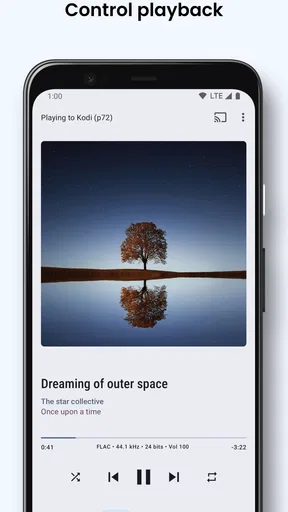
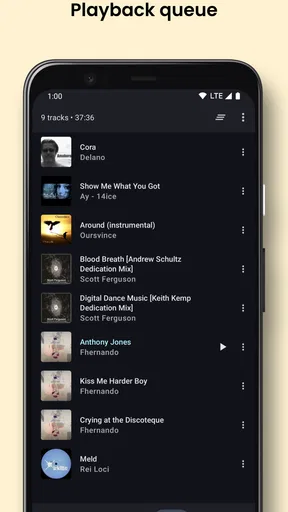
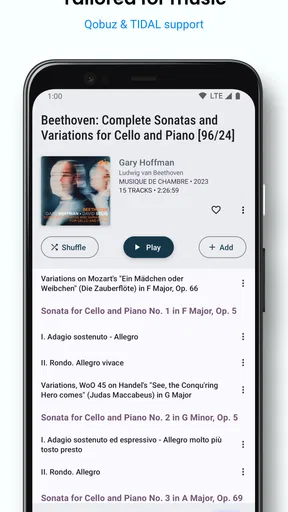
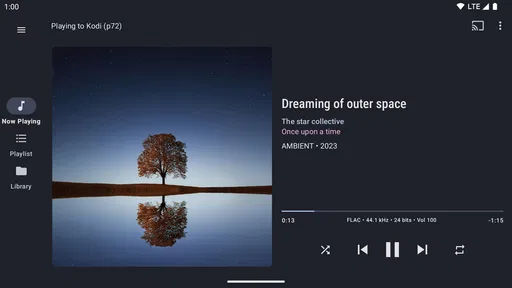
Our Review of BubbleUPnP UPnP/DLNA License
 Analysis by Appyee
At home, a useful media setup is often less about finding one more streaming subscription and more about getting the files you already have onto the device everyone wants to use. I think BubbleUPnP UPnP/DLNA License makes the most sense in that kind of household: one person can choose music or video on a phone and send it to a compatible screen or speaker, while the phone stays available for other things. It is a practical idea, but it works best when the household already has media and devices that can talk to one another.
The license is an unlocker app from Bubblesoft, rather than a general-purpose music player or a service with its own catalog. That distinction matters before paying: it is aimed at extending the BubbleUPnP experience, not replacing every app people use to discover and play media. The license costs $5.99, and the product has a 4.1 average from around 11K ratings. I would judge it by whether its particular streaming workflow fits your home, not by expecting it to behave like a subscription service.
One household, several screens
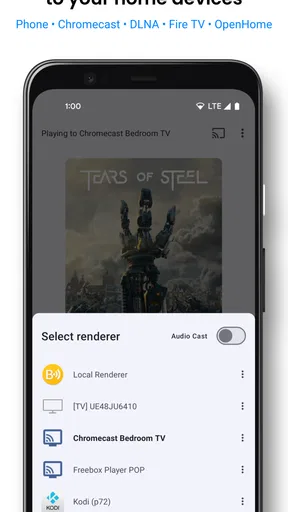
A realistic use is a relaxed evening when someone has a video on a phone but would rather watch it on the living-room television, or when music stored on a device should play through a shared speaker. Instead of passing the phone around, the person choosing the media can direct playback to a compatible device. That can make a shared room easier to use, especially when the phone is also needed for messages, recipes, or browsing.
The household benefit is convenience, not automatic coordination. People still need to agree on what is playing and which device should receive it. If one person starts playback while another is using the same screen, the app does not remove that social friction. I would treat it as a useful remote-control style layer for media, not as a household scheduler or a way to manage who gets priority.
That makes the app a stronger fit for homes with a mix of locally held media and network-connected playback devices than for people who only want a simple button inside a single streaming service. It can help bring existing media into a shared space, but the result depends on the destination device and the way the household’s media is organized.
What the license changes—and what it does not
First things first, setting up BubbleUPnP UPnP/DLNA License is a breeze. The app is available for both Android and iOS, and once downloaded, it walks you through a straightforward setup process. As soon as you launch the app, you’re greeted with a crisp interface that’s surprisingly intuitive. It’s like having a remote control for your media right in your pocket.
Because this is specifically a license app, I would think of it as the key that unlocks the paid BubbleUPnP experience rather than an independent media library. If you are installing it for a family member, make sure you understand which BubbleUPnP app and device they intend to use it with before purchasing. That small check avoids the common mismatch of buying an unlocker while expecting it to work like a standalone player. For a shared tablet or phone, it is also sensible to decide whose app-store account will own the purchase, since that can affect who can manage it later.
What I found particularly neat is the app's ability to connect with a plethora of devices. From Chromecast to Smart TVs, it's all about bringing your media to life on the big screen. And let's be honest, who doesn't want their favorite tunes or movies up there?
In a shared home, compatibility is the first practical boundary to check. A device being a television or speaker does not automatically mean every streaming route will work exactly as expected. I would start with the one destination the household uses most, test a short track or video, and only then build the routine around it. That is more useful than assuming every room will behave identically.
Making shared playback work smoothly
I find shared playback works best when the household agrees on a simple handoff: choose the media, confirm the intended screen or speaker, then leave the controls with whoever is managing the session. Keeping a few commonly used files easy to identify can also spare everyone a round of searching. From there, the key question is how well the setup fits the devices and routines already in the home.
Choosing media without taking over the room
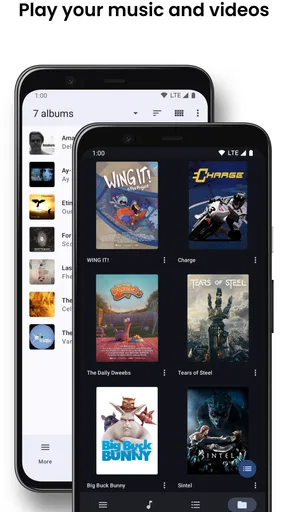
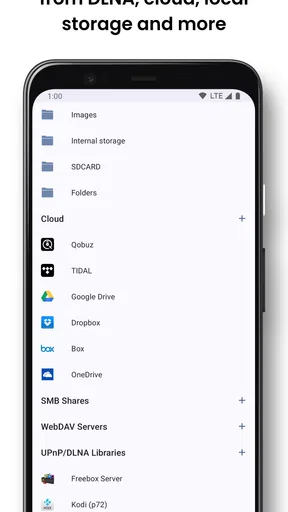
One of the standout features of BubbleUPnP is its ability to stream media from your phone, cloud, or even your network. It's like having a Swiss Army knife for media streaming. You can literally access your files from anywhere. The app supports a wide range of formats, so you don’t have to worry about compatibility issues. It feels like the developers thought of everything!
For a household library, a little organization can make this kind of access feel much less fiddly. I would keep shared albums or videos in clearly named folders and use a consistent naming style, especially if several people browse the same collection. The app can make media available across sources, but a tidy library is what helps someone else find the right item without asking the person who set everything up.
There is also a useful trade-off between convenience and control. Sending a selection from a personal phone is quick, while browsing media kept elsewhere can be better when the phone’s storage is limited. If a household member mainly wants to press play on a familiar service and never think about where files live, a service’s own app may be simpler. BubbleUPnP is more compelling when the source and destination flexibility matters.
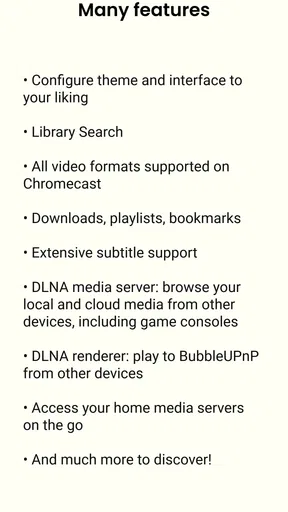
Another feature I love is the transcoding capability. If you're streaming to a device that doesn’t support a particular format, BubbleUPnP can convert it on-the-fly. It's a lifesaver if you have a diverse media library. Plus, the app handles high-resolution audio and video like a champ, ensuring your media looks and sounds as it should.
That flexibility is most valuable when older or mixed devices are part of the same setup, but it should not be mistaken for a guarantee that every file will play perfectly everywhere. Conversion adds another step between the source and the screen, so I would test the files that matter most before relying on them for a planned family movie night. If a particular destination already plays a file directly, keeping the workflow simple may be preferable.
Coordination and everyday reliability
When it comes to performance, BubbleUPnP doesn’t disappoint. Streaming is smooth, with minimal buffering—even when I pushed it to its limits. The app also offers a lockscreen and notification control feature, which is handy when you’re multitasking.
Those controls are particularly handy when playback is already underway and the phone is in someone’s hand for another reason. In a shared room, it is less disruptive to pause or adjust playback from the controls than to reopen the whole browsing flow. I would still agree on who is steering the session; convenient controls can just as easily let someone else interrupt a track if the phone is left within reach.
The usability aspect is well-thought-out. The app's design is clean, and navigation is a breeze. You can easily find what you're looking for, and the search function is surprisingly robust. It's like the app knows what you want before you do.
For mixed-age households, I would keep the distinction between a shared playback device and a personal account clear. The app’s Everyone content rating makes it suitable in age terms, but that rating is not a parental-control feature and does not decide what a child should access from a household’s own media. Adults should choose the library and playback devices with the family’s needs in mind rather than assuming the rating manages content for them.
It is also worth setting expectations around ownership. A paid license is a purchase decision, not a family coordination system. Before installing it on a device used by several people, I would settle who is responsible for the purchase and who will maintain the media setup. That avoids confusion when a family member changes phones or another person wants to use the same arrangement.
Where it sits among alternatives
Compared with ordinary music-player apps, BubbleUPnP is less about playing something only on the phone and more about directing media across a home setup. Compared with the built-in casting button in a single streaming service, its appeal is breadth: it can bridge sources and playback devices rather than keeping the experience inside one catalog. The trade-off is that a more flexible arrangement asks the user to understand the source, the target device, and the connection between them.
If all your listening happens in one service and its casting controls already work reliably, I would stay with that familiar option. It is likely to be quicker for casual use and avoids adding another app to the routine. On the other hand, someone who has personal media on a phone, a network source, and more than one compatible playback destination has a clearer reason to consider BubbleUPnP.
The app is listed in Music & Audio, though its household use can include video as well as sound. It has been available since Oct 6, 2011, and its current version is 1.11, with Android 5.0 as the minimum OS. That long presence may appeal to someone looking for a dedicated tool rather than a newly introduced feature in a general player, but I would still check that the particular devices in the home suit the intended workflow.
Who should choose it
One of the things that make BubbleUPnP special is its active community. The app developers are quite engaged, and the user forums are a treasure trove of tips and tricks. It feels like being part of a club where everyone shares a passion for media streaming. If you ever hit a snag, the community has your back.
I would recommend it most to someone who enjoys having a say in where personal media plays and is willing to spend a little time getting a home setup working. It is also a reasonable option for a household with shared screens, provided one person is comfortable being the initial organizer and everyone understands the basic handoff. If nobody wants to troubleshoot compatibility or keep media sources organized, the convenience may not outweigh that setup effort.
Someone who mainly wants a straightforward subscription catalog, a single-tap speaker experience, or a dedicated family account system should look elsewhere. Those needs are better served by the relevant streaming service or a simpler player built around the household’s existing habits. BubbleUPnP’s strength is the route between media and devices; it is not a substitute for every service or for family rules.
A practical household verdict
Wrapping it up, BubbleUPnP UPnP/DLNA License is an app that truly enhances your media experience. Whether you’re streaming music to your speakers or watching movies on your TV, it offers the flexibility and functionality that modern users crave. While it's not entirely perfect (no app is), the minor hiccups are easily overshadowed by its robust features and seamless performance.
For me, its best quality is that it can make a home’s existing media feel less tied to the device where it lives. Its main limitation is the same flexibility: people need compatible equipment and a little patience to make the arrangement feel natural. I would not buy the license just because the household owns a smart TV; I would buy it when there is a clear need to move media from the sources people use to the destinations they actually want.
So, if you're in the market for a reliable media streaming app, BubbleUPnP might just be your new best friend. It’s like having a personal media butler at your fingertips. Give it a whirl, and you might just find it’s exactly what you’ve been looking for.
Verdict
Strengths of BubbleUPnP UPnP/DLNA License
- Easy setup for streaming media.
- Supports a wide range of devices.
- User-friendly interface.
- Allows remote access to media.
- Customizable transcoding options.
Limitations of BubbleUPnP UPnP/DLNA License
- Requires premium for full features.
- Occasional connectivity issues.
- Interface feels outdated.
- Limited support for rare formats.
- Ads in the free version.
Similar Picks in This Category
View All
YouTube Music
Google LLC4.4

Samsung Music
Samsung Electronics Co., Ltd.3.8

Spotify: Music and Podcasts
Spotify AB4.3

JioSaavn - Music & Podcasts
Saavn Media Limited4.3

Lark Player:Music Player & MP3
Lark Player Studio - Music, MP3 & Video Player4.6

StarMaker: Sing Karaoke Songs
SKYWORK AI PTE. LTD.4.3
Frequently Asked Questions
What is the purpose of the BubbleUPnP UPnP/DLNA License app?
BubbleUPnP UPnP/DLNA License is designed to enhance your media streaming experience by enabling full access to all features of the BubbleUPnP app. It allows you to stream music, videos, and photos from your devices to any compatible DLNA/UPnP renderer, such as smart TVs or wireless speakers, providing a seamless media experience.
Which devices are compatible with BubbleUPnP UPnP/DLNA License?
The app is compatible with Android devices and supports streaming to a wide variety of DLNA/UPnP-enabled devices, including smart TVs, game consoles, and wireless speakers. It works in conjunction with the BubbleUPnP app to provide a robust media streaming solution, ensuring you can enjoy your media on any compatible device.
Do I need an internet connection to use BubbleUPnP UPnP/DLNA License?
An internet connection is not strictly necessary for local network streaming, as BubbleUPnP can stream media over your home Wi-Fi network. However, for certain features like streaming from cloud services or accessing online content, an internet connection will be required to ensure smooth operation and access to all functionalities.
Is it necessary to purchase the BubbleUPnP UPnP/DLNA License for full functionality?
Yes, purchasing the BubbleUPnP UPnP/DLNA License unlocks all premium features of the BubbleUPnP app. This includes removing ads, enabling access to cloud storage options, and providing additional capabilities like transcoding, which enhances streaming quality and compatibility across devices.
How can I troubleshoot connection issues with BubbleUPnP UPnP/DLNA License?
If you encounter connection issues, ensure that all devices are on the same Wi-Fi network and check that your DLNA/UPnP devices are properly configured. Restarting your router and devices can often resolve connectivity problems. Additionally, consult the app’s support resources or community forums for specific troubleshooting advice and updates.
